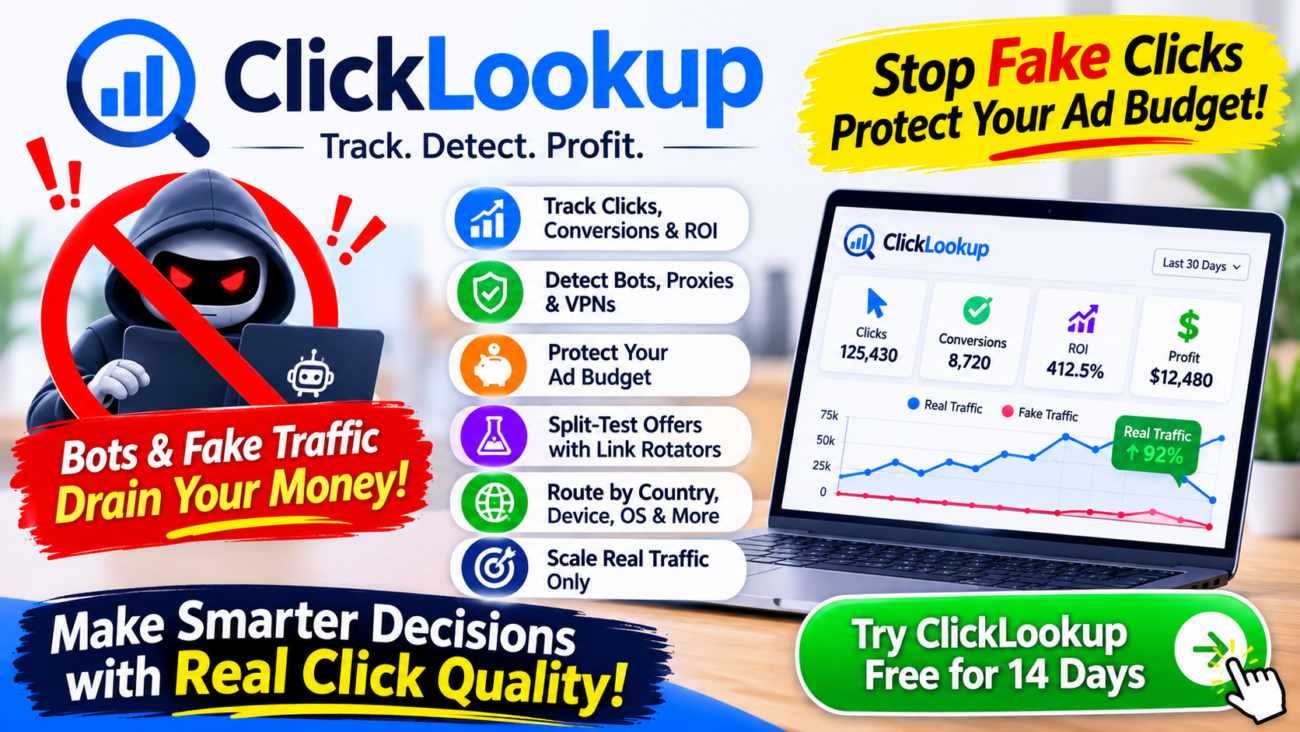
If you run paid ads, affiliate campaigns, or client funnels, you know the frustration: your dashboard says you got clicks, but your sales do not match.
You may be paying for traffic that looks impressive in a click counter but includes bots, proxies, VPN users, datacenter IPs, spiders, or click floods. That is money leaving your ad account without a real person ever seeing your offer.
ClickLookup is a click-tracking and traffic-quality platform built around a simple idea: track every click, then pay only for the real ones.
Instead of treating every click as equally valuable, ClickLookup gives marketers an IP quality score, bot protection, conversion tracking, link rotators, routing rules, and reporting tools. The goal is to help you identify which traffic sources bring profitable, human traffic—and which sources are quietly wasting your budget.
This review breaks down what ClickLookup does, how its tracking system works, who it is best for, its pricing, and the practical limitations you should consider before using it. The information below is based on the product details and claims shown on the ClickLookup website.
What Is ClickLookup?
ClickLookup is a marketing tracking platform designed to help advertisers, affiliate marketers, media buyers, and agencies understand the quality and performance of their traffic.
At its core, it is a click tracker. You create tracking links, send traffic through those links, and ClickLookup records what happens: the click, the visitor’s quality signals, conversions, costs, and campaign performance.
But ClickLookup goes beyond basic click counting. Its main differentiator is its IP quality score. The platform claims to score and filter traffic signals such as proxies, VPNs, datacenter IPs, spiders, and click floods as clicks arrive.
That matters because not all clicks are equal. A click from a real, interested person on a mobile device in your target country may be worth far more than a click from a suspicious proxy or automated source.
ClickLookup positions itself as a tool for marketers who want cleaner data, better source-level decisions, and less budget wasted on fake or low-quality traffic. It is especially relevant for performance marketers, affiliate marketers, media buyers, and agencies running paid traffic campaigns.
Why Trust This Review?
This review is based on the product information, features, pricing, and claims displayed on the ClickLookup website. It is an independent breakdown, not a guarantee of results, earnings, traffic quality, or campaign performance.
ClickLookup makes several strong claims, including that up to 40% of “filtered” traffic may still be bots and that its IP quality system can identify risky traffic sources. These claims should be understood as the company’s position, not universal facts that apply to every campaign or traffic source.
No tracking platform can promise perfect fraud detection. Bot technology changes, traffic sources vary, and no single IP score can fully determine user intent or conversion likelihood. A good tracker can improve visibility, but it cannot replace solid funnel strategy, compliant offers, strong creatives, and responsible advertising practices.
The purpose of this review is to explain what ClickLookup offers in plain English, highlight its useful features, and give a balanced view of where it may help—and where it may not.
How It Works
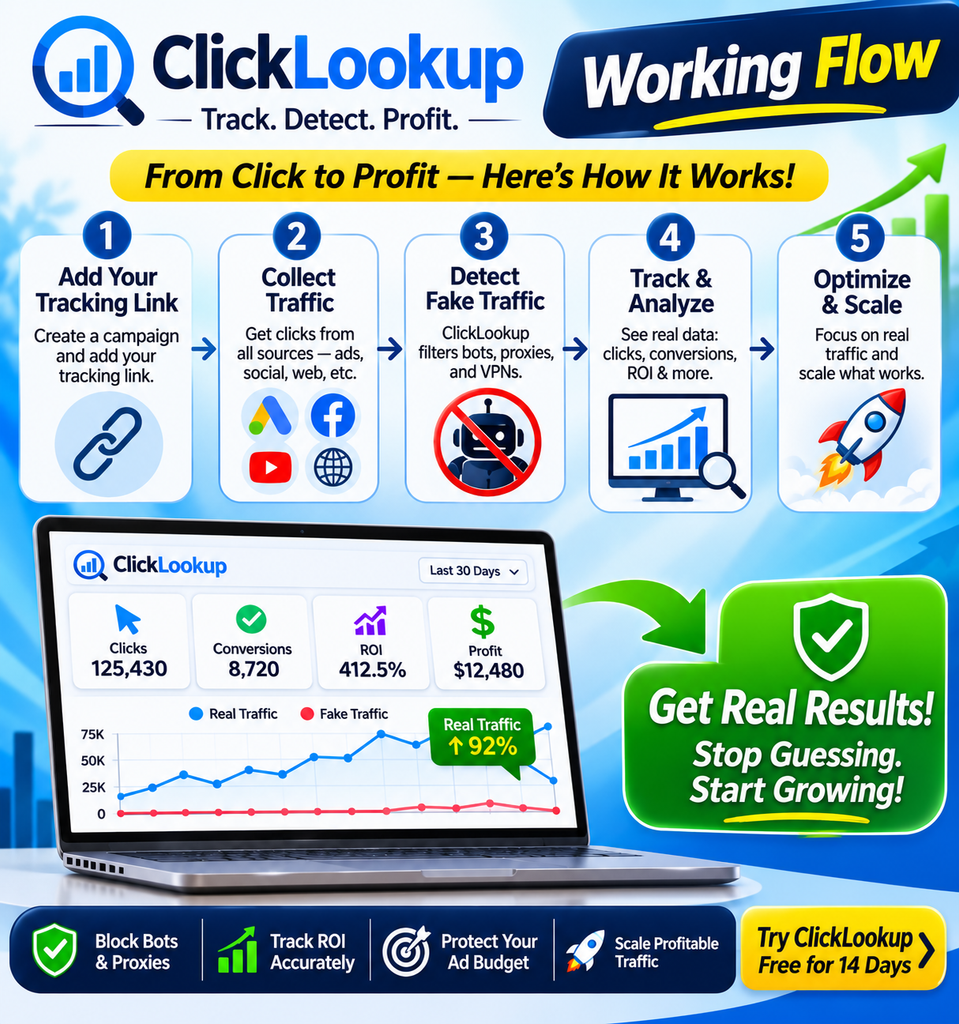
ClickLookup follows a straightforward workflow: create a tracking link, send traffic through it, measure quality and conversions, then optimize based on the data.
1. Create a tracking link
You create a tracking link inside ClickLookup and use it in your ads, email campaigns, social traffic, push notifications, or other traffic sources.
Each click that passes through the link can be recorded with details such as source, country, device, operating system, language, sub-ID, and quality signals.
2. Score traffic quality
As traffic lands, ClickLookup evaluates signals associated with the click. The platform says it scores proxies, datacenter IPs, spiders, and click floods.
For example, the site shows an example of a blocked IP from Frankfurt, Germany, using Chrome on Linux. The platform labels it as a proxy or VPN, a datacenter IP, and a click-velocity risk.
3. Track conversions
ClickLookup supports pixels and postbacks. That means you can fire a pixel on a link and receive conversion data back from an affiliate network or advertiser.
This allows you to connect clicks to actions and sales, rather than judging a campaign only by traffic volume.
4. Optimize traffic sources
Once you have enough data, you can compare traffic sources by quality, clicks, conversions, cost, EPC, and ROI.
The platform’s example dashboard shows source-level results, including email ads, lookalike traffic, and push traffic. The idea is to identify sources that produce profitable human traffic and reduce or stop sources that send low-quality or fraudulent clicks.
Key Features
Tracking links
ClickLookup provides tracking links that put every click, action, and sale on one row. The platform says it calculates cost, EPC, and ROI for you.
This is useful because a marketer needs more than raw click counts. You need to know whether a click eventually became a lead, sale, signup, or other conversion—and whether the campaign was profitable.
IP quality score
The IP quality score is ClickLookup’s central feature. It is designed to help you distinguish between normal human traffic and traffic that may involve proxies, VPNs, datacenter IPs, spiders, or click floods.
The platform displays quality signals such as proxy or VPN detection, datacenter IP detection, click velocity, and known spider status.
Bot protection
ClickLookup’s bot-protection feature is intended to help marketers stop paying for fake traffic. The company claims that a meaningful share of traffic that other systems label as “filtered” may still be bots.
That claim may resonate with affiliate marketers and media buyers who have experienced suspicious click patterns, sudden traffic spikes, or campaigns that generate clicks without conversions.
Link rotators
A link rotator lets you split one link across multiple offers using rules such as weight, cap, spillover, or sequence. This can help you test offers without manually changing every destination link.
The idea is simple: keep the winning offer and reduce exposure to underperforming ones.
Routing rules
Routing rules let you send visitors based on factors such as country, device, operating system, language, hour, or quality score.
For performance marketers, this can be useful for directing traffic to the most relevant offer, landing page, or funnel based on the visitor’s characteristics.
Pixels and postbacks
ClickLookup supports pixels and postbacks, allowing marketers to track conversions from affiliate networks or advertisers.
This is important for affiliate campaigns because postbacks often provide the most reliable way to measure sales, leads, or other desired actions.
Reports and sharing
The platform includes reporting tools that break down links by country, device, or sub-ID. You can also share live reports.
For agencies and teams, shared reporting can reduce back-and-forth communication and make campaign performance easier to review.
Who Is It For?
ClickLookup is best suited for marketers who buy traffic and need to know whether that traffic is real, profitable, and worth scaling.
Affiliate marketers
Affiliate marketers often work with multiple traffic sources, offers, countries, devices, and sub-ID variations. ClickLookup’s tracking links, rotators, postbacks, and quality scoring can help them compare performance more clearly.
Media buyers
Media buyers running paid campaigns need to protect budgets and identify winning sources quickly. Click quality, conversion tracking, and ROI reporting can support those decisions.
Performance marketers
Performance marketers who care about EPC, ROI, cost per acquisition, and conversion quality may find the platform useful for making more data-driven decisions.
Agencies
Agencies managing client campaigns can use tracking links, reporting, and shared live reports to show clients what is happening across traffic sources and campaigns.
Who may not need it
ClickLookup may be unnecessary for a small business running one simple website with very limited paid traffic. If you are not buying traffic or managing multiple campaigns, a basic analytics tool may be enough.
It is also not a replacement for legal compliance, offer quality, landing-page optimization, or ethical advertising practices. A tracker can show you what is happening, but it cannot make a bad offer profitable.
Pros and Cons
Pros
- Click-level tracking: Every click, action, and sale can be tracked in one place.
- IP quality scoring: The platform is designed to flag proxies, VPNs, datacenter IPs, spiders, and click floods.
- Bot protection: ClickLookup aims to reduce wasted spend on suspicious traffic.
- Conversion tracking: Pixels and postbacks help connect traffic to real outcomes.
- Link rotators: Marketers can split traffic across offers and identify winners.
- Advanced routing: Traffic can be directed by country, device, OS, language, hour, or quality score.
- Detailed reporting: Campaigns can be analyzed by source, country, device, or sub-ID.
- Team-friendly features: Custom domains and unlimited team members are included across plans.
- Free trial: Every plan starts with a 14-day free trial.
Cons
- No tracker guarantees perfect fraud detection: Bots and fraudulent traffic methods evolve constantly.
- IP quality is not the same as purchase intent: A real user may still have a low-quality IP signal, while some suspicious traffic may slip through.
- Tracking setup takes work: Pixels, postbacks, domains, and routing rules require proper configuration.
- Best suited for paid-traffic marketers: Beginners with no ad budget may not need this level of tracking.
- Pricing scales with click volume: Higher-traffic campaigns will require a higher plan.
- Results depend on the marketer: A tracker can reveal problems, but it cannot fix weak offers, poor creatives, or bad funnels.
Pricing and Guarantee
ClickLookup uses a subscription-based pricing model with three main plans.
| Plan | Monthly price | Click volume |
|---|---|---|
| Starter | $12/month | 10,000 clicks |
| Growth | $39/month | 100,000 clicks |
| Scale | $99/month | 1,000,000 clicks |
Every plan includes:
- Unlimited links
- 14-day free trial
- Unlimited rotators
- Unlimited conversions
- Global Unique Ratio
- ClickLookup IP Quality
- Split testing
- Sub-IDs
- SmartSwap
- Funnel tracking
- Advanced filters
- Custom tracking domains
- Unlimited team members
- 24/7 chat support
The website also states that every plan starts with a 14-day free trial, with no charge until the trial ends. It says there is nothing to cancel if you stop before then.
The site also mentions a 30-day money-back guarantee in its marketing copy. However, the exact refund conditions are not fully detailed in the information provided, so users should review ClickLookup’s official refund policy before purchasing.
For businesses that need more than 1 million monthly clicks, custom retention windows, or custom terms, ClickLookup invites users to contact sales for a custom quote.
Is ClickLookup Worth It?
ClickLookup is worth considering if you spend money on paid traffic and need better visibility into traffic quality and campaign performance.
The platform’s biggest value is not simply counting clicks. It is helping marketers separate traffic that may be real and valuable from traffic that may be automated, low quality, or fraudulent.
For affiliate marketers, media buyers, and agencies, that visibility can be valuable. If one traffic source sends high-quality human clicks and another sends suspicious proxy traffic, you want to know before scaling the wrong source.
However, ClickLookup is not magic. It will not automatically make an unprofitable campaign profitable. You still need a strong offer, a clear funnel, compliant creatives, accurate tracking setup, and enough conversion data to make sound decisions.
If you are running meaningful paid traffic, testing multiple offers, or managing client campaigns, ClickLookup’s feature set may justify a trial. If you are only sending a small amount of organic traffic to one landing page, it may be more tooling than you need.
Final Verdict
ClickLookup is a practical tracking platform for marketers who want more than basic click counts. Its focus on IP quality, bot protection, conversion tracking, rotators, routing, and ROI reporting makes it especially relevant for performance-driven traffic buyers.
The platform’s core promise is clear: track every click, identify suspicious traffic, and pay only for real clicks. That is a useful goal for anyone running paid campaigns, affiliate offers, or client funnels.
The main caution is that no tracking tool can eliminate fraud completely or guarantee profits. ClickLookup should be viewed as a decision-support tool, not a replacement for marketing skill or campaign management.
If you are serious about scaling paid traffic and want cleaner visibility into what is working, ClickLookup is worth testing through its 14-day free trial. If you are not yet buying traffic or managing multiple campaigns, start with simpler analytics first.
This article is for educational purposes only and is not financial, investment, legal, or tax advice.
FAQ
What is ClickLookup?
ClickLookup is a click-tracking and traffic-quality platform for marketers. It helps users track clicks, conversions, ROI, traffic sources, and IP quality signals.
Does ClickLookup block bots?
ClickLookup offers bot protection and IP quality scoring designed to identify and filter suspicious traffic such as proxies, VPNs, datacenter IPs, spiders, and click floods. No platform can guarantee complete bot prevention.
Can I track affiliate conversions?
Yes. ClickLookup supports pixels and postbacks, which can be used to receive conversion data from affiliate networks or advertisers.
What is the free trial?
ClickLookup offers a 14-day free trial on every plan. The website says no charge occurs until the trial ends and there is nothing to cancel if you stop before then.
How much does ClickLookup cost?
Starter costs $12 per month for 10,000 clicks, Growth costs $39 per month for 100,000 clicks, and Scale costs $99 per month for 1,000,000 clicks.
Who should use ClickLookup?
ClickLookup is best for affiliate marketers, media buyers, performance marketers, and agencies that buy traffic and need to measure traffic quality, conversions, and ROI.
